A Practical Guide to Zero Trust Security: When Firewalls Aren't Enough
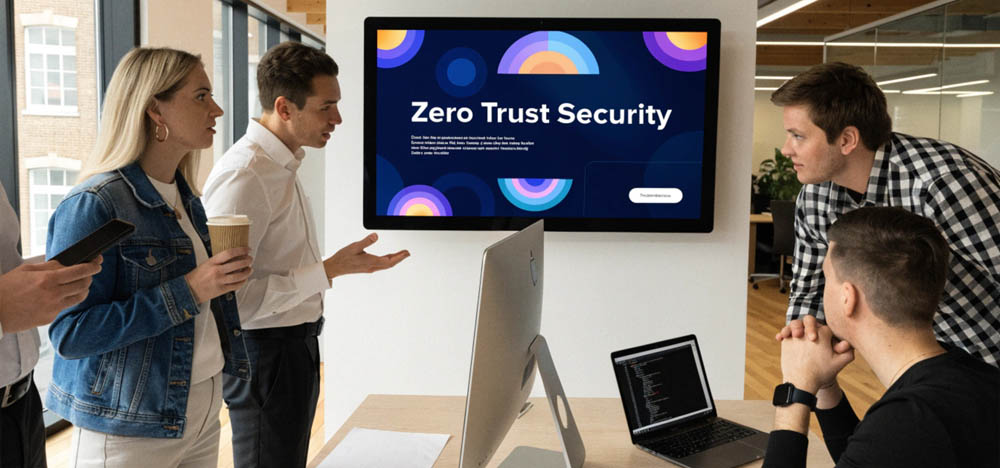
So what did Network Security and large office buildings have in common? Well, there was a big front door, a security man and his badge scanner. Once you made it in pass security, you were free to go where you pleased. The break room, the server closet – no one put a hand on your shoulder to ask what you were doing. For thirty years or so, that was also the way of most corporate network security setups.
It was fine, until it wasn’t.
Firewalls were designed for a world we don’t really inhabit any longer. A past world where your data and your staff were confined to a single building and the opposition was, at least in theory, kept out by a good wall. Put up a moat and raise the drawbridge and you were set. But the castle has been dissolved. You have cloud apps, remote workers, an intern’s phone with some connection to the finance system, a contractor in Lisbon putting in time from a coffee shop. There is no wall to speak of. Not even much of a building.
When the perimeter you put millions into defending simply vanishes, what then? Many a security team, are having quiet moments of panic over that. This is what we are trying to get to the bottom of - why the firewall-first mentality is coming apart under the strain of the cloud and how Zero Trust presents a more sensible path.
Make yourself a coffee and we will dive into this very relevant cybersecurity reality.
The Perimeter Problem
You could say traditional firewalls are waging yesterday’s war. They run on a “castle-and-moat” logic: verify what is outside, trust what is inside. That held water when your infrastructure was on-premises and your people were using company gear on company networks to hit the servers down the hall.
Not anymore. Cloud adoption has put an end to the geography of trust. Your applications are on AWS, Azure and Google all at once. Staff are on home routers or airport Wi-Fi. Vendors need to get into certain systems but not the whole works. The “inside” is now a collection of environments spread across the place, some of which IT can’t fully command.
Worse, if an attacker makes it over the wall via a phished credential or a vendor account that has been compromised, the model turns on you. Lateral movement is unimpeded. An intruder in one system can drift to the next because he is already in.
Let’s be realistic for a moment. Take a mid-sized retailer with inventory in the cloud and HR run by a SaaS provider, while the finance team is remote three days a week. What is the firewall at head office actually protecting? The printer? It is hardly an edge case; most businesses are in this position. And it is why breach figures are on the rise despite the budget for firewalls. You cannot defend a border that is gone.
Zero Trust: Never Trust, Always Verify
Vendors may try to put a price tag on it, but Zero Trust is a philosophy, not something you take off a shelf. It is blunt in its approach: default to distrust. Whether you are in or out of the network, every user and device must make its case for access.
Imagine a high-security facility where you need a badge for every door, not just the one at the front. The lobby doesn’t entitle you to the server room, and the server room doesn’t open the door to finance. Access is doled out sparingly and for only as long as necessary.
In practice it means…
Verify explicitly. Don’t rely on a password alone. Look at the identity, the location, the health of the device and the behavior behind the request.
Least-privilege. Give them what they need to work and nothing else.
Assume a breach. This is the shift in thinking. A firewall is an exercise in optimism, hoping the wall holds. Zero Trust is realism. It presumes the wall has been put through and asks what comes next.
This is particularly relevant in the cloud. With servers spinning up and down in minutes and employees hopping between devices and tools, a fixed perimeter is too slow to cope. Zero Trust is indifferent to location; it is about context and identity. Is this who they say they are? Does the request fit their role? Those are questions that apply whether the user is at headquarters or in a hotel room abroad.
That is why it works well with the likes of identity providers and endpoint detection. Instead of one large gate, you have thousands of small, intelligent checkpoints all making the call.
A Practical Roadmap for Moving Legacy Applications to Zero Trust

You will find a good deal of theory in most pieces written on this subject, and they can be rather hand-wavy about it. We prefer to be direct. The reality is that while Zero Trust makes for an impressive slide deck, it is a different story when you are faced with the messiness of a fifteen-year-old ERP system whose original configuration has been all but forgotten.
The hard part is always the legacy applications. They were not designed with today’s identity protocols in mind; some have no support for multi-factor authentication at all, others make the assumption they will only ever be touched from within the corporate network. Most companies would be foolish to think they can rip out and replace these in a night, and there is no need to.
What is a more workable approach?
People don’t like change, and since change is required to implement Zero Trust security - especially with Legacy systems - it will take planning, communication and a good process. Here are some things to consider:
1. Make an inventory of what is there
If you can’t see it, you can’t protect it. Put together a complete list of your applications, data flows and user access. Determine which systems are talking to one another and who truly requires access as opposed to those who have it out of habit. You will be surprised how much access has crept in over the years at most organizations.
2. Verify every identity
Zero Trust is only as good as its handling of identity. A business needs robust, centralized identity and access management with MFA put in place wherever the technology allows. For older apps that won’t support modern authentication on their own, put an identity-aware proxy in front of them to do the vetting before any traffic gets through.
3. Put some distance between systems
There is no sense in having a flat network where everything can reach everything. Use microsegmentation to create smaller zones. This way, should a system be compromised, the damage is contained. It is a matter of reorganizing, not necessarily replacing your infrastructure.
4. Enforce least-privilege in stages
Trying to lock the whole place down over a weekend is a surefire way to disrupt operations and ruffle feathers across the board. Be methodical. Start with the high-risk areas: admin accounts, customer data, financials. Then move outward.
5. Keep an eye on things after login
Don’t assume the job is done once someone is in. Continuous behavioral monitoring will spot the odd data download or a login from an unfamiliar location that initial checks might miss. Think of access as an ongoing dialogue, not a handshake.
6. Modernize or wrap
Some of these older apps can be refactored eventually. Others cannot, for reasons of budget or operations. In that case, simply wrapping them with API gateways and modern auth layers will give you the security you need without a full rebuild.
For a mid-sized or larger organization, expect this to be a two or three year affair, not something to be done in a quarter. There is value in that; attempting to do it all at once is how projects get shelved after six months.
Pitfalls to Steer Clear Of

We see the same errors in Zero Trust transitions time and again. Some treat it as a product to be bought instead of an architectural change. Others clamp down on access so quickly that staff devise their own workarounds, which is counterproductive. Then there are those who put off dealing with legacy systems because they are “too hard,” or skip the necessary groundwork on identity to jump straight to the tools. These are not uncommon mistakes; they come from moving too fast without due consideration.
Conclusion
Your firewalls still have a purpose. But to rely on them as your first line of defense in a cloud-first environment is like securing the front door and leaving the windows open. The threat landscape is what it is, and your strategy must reflect that.
Zero Trust is an honest way to handle a business that is distributed and in constant motion. Yes, legacy systems will impede progress, but that is to be expected. The firms that view this as a deliberate, gradual evolution will be better for it and less worn down by the process. So the question is not if you should shift, but where you ought to begin this quarter.
For more information about Zero Trust in Development and DevOps, AIOps and how we can integrate Zero Trust policies in your digital development projects, please feel free to Contact ScreamingBox.
Check out our Podcast on CyberSecurity with the CTO of Intel - for a deeper look at Zero Trust.